


Not every hiring team has an ATS. And the ones that do sometimes just need to test a single job or get it live as soon as possible, without having to wait on an integration or loop in IT for that specific role.
This is why we launched Hirematic’s Mini ATS: It’s a way for teams to act quickly by skipping the technical formalities.
In this post, we’ll talk all about this new feature and what it can do for your hiring team by diving deeper into:
What Mini ATS Actually Is
For starters, let’s clarify what Mini ATS is not.
If you have an ATS, Mini ATS doesn’t replace it – you keep using it as you normally would, connected to Hirematic as it was. Hirematic’s role is to take the jobs you’re already managing and get them seen by the right candidates in the most efficient way possible. With Mini ATS, that doesn’t change.
What does change instead is that you can now create or test a new job in Hirematic even if there’s no ATS in the picture. This is useful in getting a role live without setting up a full integration first, skipping the back-and-forth with the IT department to get a job feed built and sent over.
With Mini ATS, you simply fill in a form and press create, which ingests the job straight into Hirematic.
How It Works In Practice
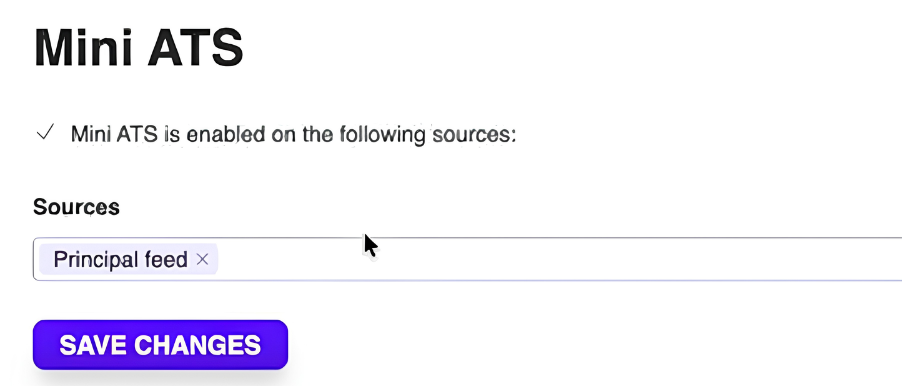
When Mini ATS is switched on, it’s rooted at the source level, not for your entire account. This means an admin enables it for specific sources (e.g., a specific job board feed), and only users working from that source will see the option to create jobs directly. Everything else in the account stays the same.
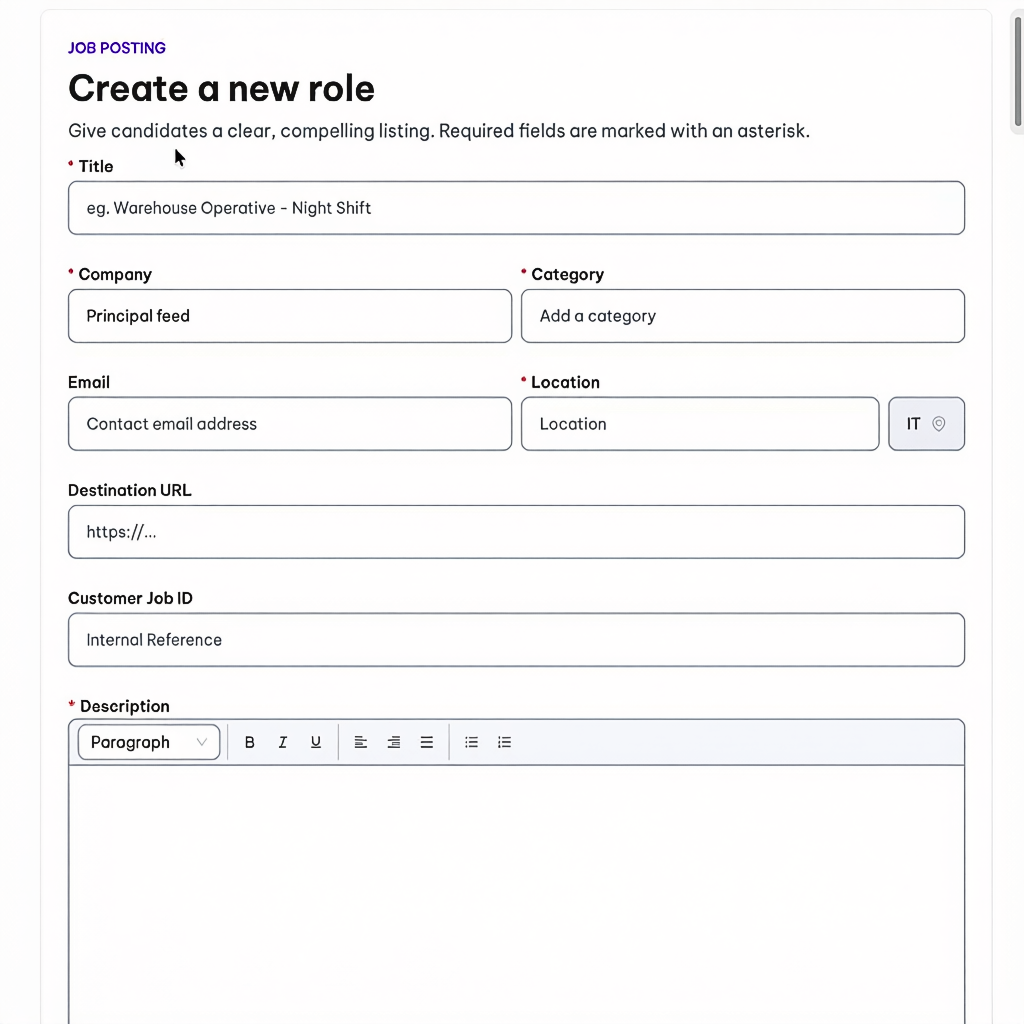
Once activated, a Create Jobs button appears, which opens up a simple form:
- Title, company, category, and location are required
- Location is locked to the country tied to that source – so if your source is set up for Italy, every job created through it will be geo-tagged to Italy
- Description uses a rich text editor – headings, bold, italics, underline, alignment, and lists are all built in
When creating new jobs, you can also queue up more than one job at a time and create them in a single batch. This is handy if you want to push several roles live at once rather than testing one at a time.
Once you hit create, the job goes into ingestion, which can take a few minutes. During that window, the job defaults to active, but you aren’t able to pause it until a campaign has been assigned.
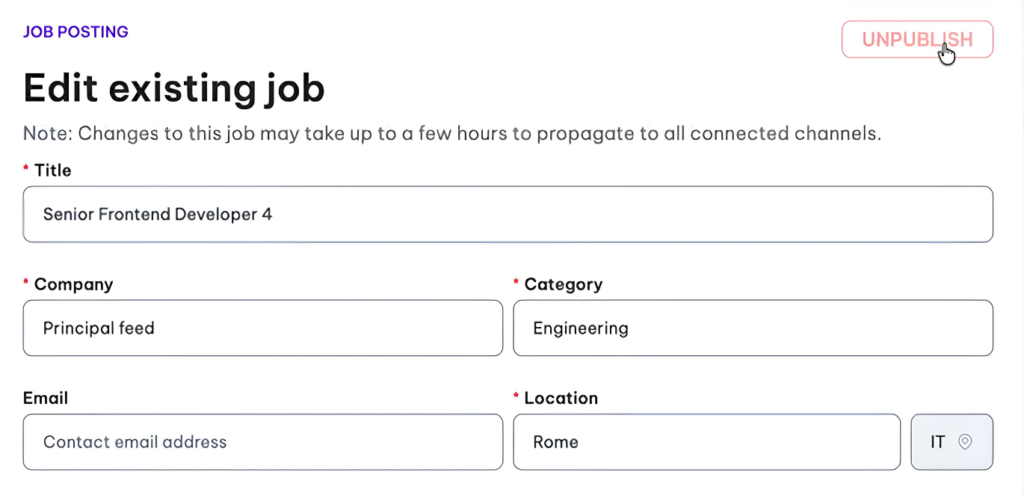
After processing, the Edit Job button lets you make job changes directly from Hirematic. It’s worth noting that edits can take a few hours to apply across all connected channels. You can also use the Unpublish button to take the job ad down.
Who This Is Actually For
Mini ATS solves two very specific problems:
- Teams without an ATS: Mini ATS is the difference between not being able to advertise a role at all and having it live in minutes
- Teams testing the waters: If you want to see a single job through the full Hirematic optimisation journey, Mini ATS lets you do that immediately, without the technical hassle
What’s Next?
This new feature is about getting jobs created and live without friction. Down the line, we plan on building out more complete hiring workflows directly inside Hirematic – something we’ll talk about when it’s ready. It’s another example of how Hirematic goes beyond programmatic advertising alone.
For now, if you don’t have an ATS, or you just want to get a job live today rather than next week, Mini ATS is ready to use. Want more information? Reach out today and we’ll answer all your questions.
